
Guide · binders
Organize your Pokémon cards in a binder
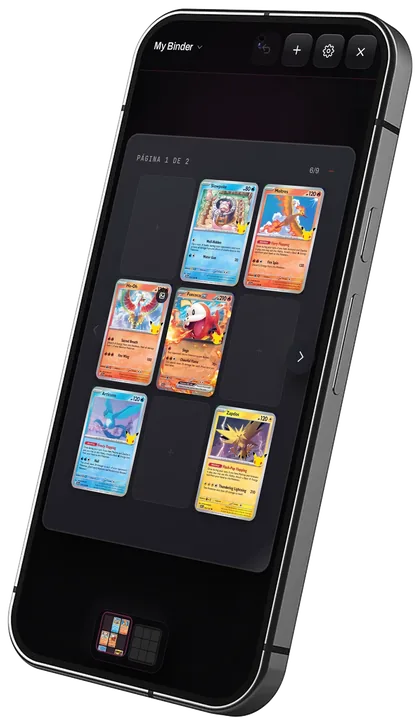
The most practical way to sort a Pokémon card collection is one binder per goal: one per set, one per Pokémon or a themed one. Binders are free in Prism, you flip them page by page like a real one, and they hold placeholders for the cards you are still missing.
Updated 24 October 2026
How should you order a Pokémon card binder?
- By set: in collector-number order. Best for completing a set, because every empty slot is a card you are missing.
- By Pokémon: every card of one species, oldest to newest or by value.
- Themed: a type, an illustrator, your favourites or your trade cards.
Which page size should you pick?
3×3 pages (nine cards) are what most physical binders use and the easiest to read on a phone. Prism offers 2×2, 3×3, 3×4, 4×4, 4×5 and 5×5.
How do you do it in Prism?
- Create an empty binder, one from a set or one from a Pokémon, and pick the language, order and page size.
- Cards you do not own yet go in as placeholders: they do not count as your collection until you have them.
- Drag cards between pages and between binders, and flip the pages like a real binder.
- A Pokémon binder keeps itself up to date when a new card of that Pokémon comes out, in the order you chose.
Can you show your binders?
Every binder starts private. You can put it on your profile or send a link to anyone, and customise the cover, spine and back with colours, images and text. In Collection they show up as books on a shelf.